
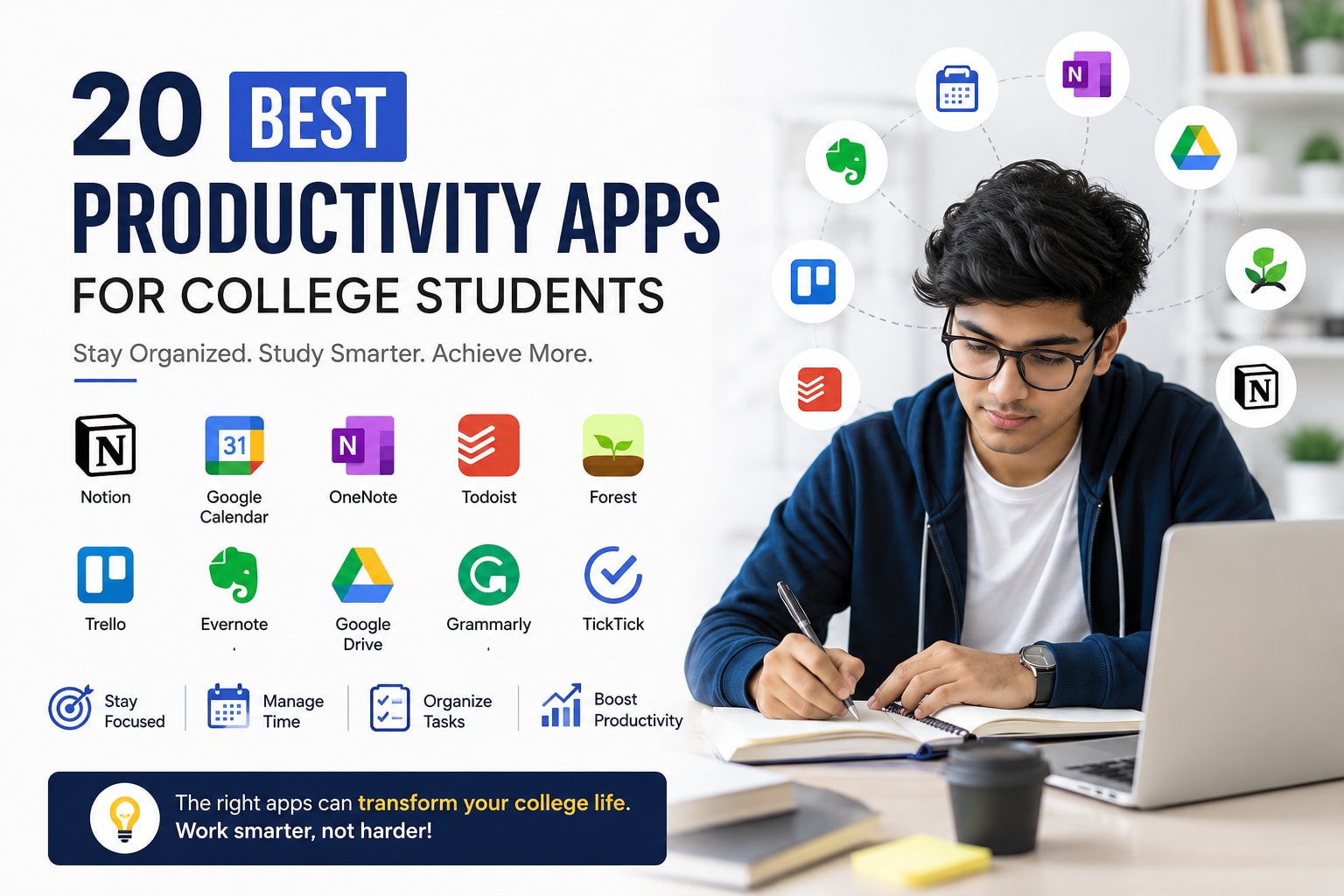
College life often feels like managing several full-time jobs at once. Students attend lectures, complete assignments, prepare for exams, participate in group projects, and sometimes balance internships or part-time work. Without the right systems, deadlines pile up quickly.
The Best Productivity Apps for College Students help simplify daily routines by organizing notes, managing schedules, tracking tasks, improving concentration, and supporting collaboration. Instead of switching between notebooks, sticky notes, and scattered files, students can create efficient digital workflows that save time and reduce stress.
This guide explores the top productivity apps that college students can use to improve study habits, manage coursework, and stay ahead throughout the semester.
Why Are the Best Productivity Apps for College Students Important?
The Best Productivity Apps for College Students help students manage academic pressure, organize tasks, and improve time management. From keeping track of deadlines to reducing distractions during study sessions, these tools make everyday college life more structured and efficient.
College schedules rarely stay predictable. One week may involve presentations and lab work, while the next includes exams and project submissions. Many students struggle because they rely on memory instead of systems.
Productivity apps solve common challenges such as:
Missing assignment deadlines.
Forgetting lecture notes.
Poor time management.
Difficulty collaborating with classmates.
Procrastination during exam preparation.
Losing important documents.
Getting distracted by social media.
Students who create simple digital routines often experience:
Better academic organization.
Reduced stress.
More free time.
Improved study consistency.
Better grades.
Stronger teamwork skills.
A first-year student adjusting to university life may use one app for note-taking and another for scheduling classes. Final-year students preparing for placements often depend on project management tools and calendar systems.
The goal is not to install dozens of apps. It is to choose the right combination.
What Should Students Look for in the Best Productivity Apps for College Students?
The Best Productivity Apps for College Students should be easy to use, available across devices, and capable of supporting real academic workflows. Students benefit most from apps that reduce friction instead of adding complexity.
Before downloading an app, students should evaluate the following factors.
Cross-Platform Compatibility
The best apps work seamlessly across:
Android phones.
iPhones.
Windows laptops.
MacBooks.
Tablets.
Web browsers.
A note taken during class should still be available while studying in the library later.
Offline Access
Campus Wi-Fi is not always reliable.
Offline support helps students:
Read notes without internet.
Edit assignments on the move.
Access study materials during travel.
Continue working during network issues.
Free Features
Most students operate within tight budgets.
Important free features include:
Note-taking.
Task management.
Cloud storage.
Calendar synchronization.
File sharing.
Ease of Use
Complicated tools often get abandoned after a few weeks.
Students should prioritize apps that:
Require minimal setup.
Offer intuitive interfaces.
Support quick organization.
Integrate with existing workflows.
Comparison Table: Best Productivity Apps for College Students
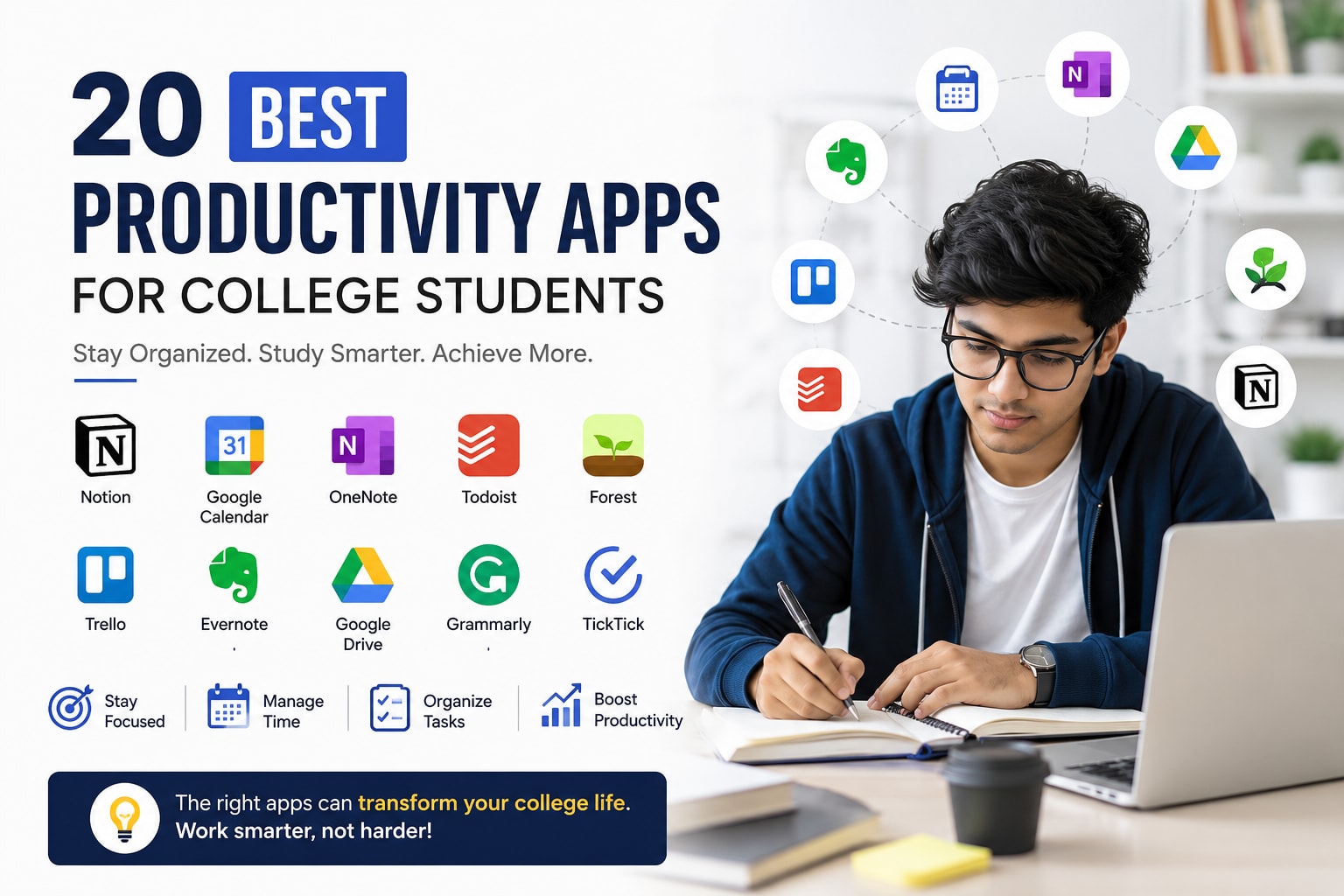
AppBest ForPlatformFree/PaidKey FeaturesOffline SupportOverall RatingNotionAll-in-one organizationAndroid, iOS, Web, Windows, MacFreemiumNotes, databases, plannersYes9.5/10Google CalendarSchedulingAndroid, iOS, WebFreeReminders, events, syncingYes9.4/10Microsoft OneNoteNote-takingAndroid, iOS, Windows, MacFreeNotes, handwriting, notebooksYes9.3/10TodoistTask managementAndroid, iOS, WebFreemiumTo-do lists, prioritiesYes9.2/10ForestFocus sessionsAndroid, iOSFreemiumPomodoro timerYes9.1/10TrelloGroup projectsAndroid, iOS, WebFreemiumBoards and collaborationYes9.0/10EvernoteDocument organizationAndroid, iOS, WebFreemiumNotes and searchYes8.9/10Google DriveFile storageAndroid, iOS, WebFreeCloud storageYes9.4/10GrammarlyWriting improvementWeb, Android, iOSFreemiumGrammar assistanceLimited8.8/10TickTickProductivity planningAndroid, iOS, WebFreemiumTasks and habitsYes9.0/10
1. Notion

The Best Productivity Apps for College Studentsoften begin with Notion because it combines note-taking, task management, planning, and collaboration in one place. Students can organize their academic life without constantly switching between multiple apps.
Notion is popular among university students because it acts like a digital workspace.
Students commonly use it for:
Lecture notes.
Assignment trackers.
Semester planners.
Reading lists.
Internship applications.
Group project management.
A typical engineering student might create:
A dashboard for all subjects.
Separate pages for assignments.
A revision tracker.
Exam schedules.
Project documentation.
Useful features include:
Custom templates.
Databases.
Kanban boards.
Calendar view.
File attachments.
Team collaboration.
Students can learn more through the official Notion Help Center.
2. Google Calendar
The Best Productivity Apps for College Students must help students manage time effectively, and Google Calendar remains one of the simplest tools for organizing classes, exams, and deadlines.
Many students underestimate how much time disappears between lectures, commuting, assignments, and social activities.
Google Calendar helps students:
Schedule lectures.
Block study sessions.
Set assignment reminders.
Track exam dates.
Plan extracurricular activities.
How Students Can Use Google Calendar Effectively
The Best Productivity Apps for College Students become more valuable when students build routines around them. Google Calendar works best when paired with consistent scheduling habits.
Students can follow this workflow:
Add all class timings.
Enter assignment deadlines.
Create weekly study blocks.
Set reminders one week before exams.
Color-code subjects.
During exam season, color coding makes priorities visible at a glance.
3. Microsoft OneNote
The Best Productivity Apps for College Students should make note-taking effortless, and Microsoft OneNote excels at organizing lectures, handwritten notes, diagrams, and study material.
Many students still take scattered notes across different notebooks and devices. OneNote solves that problem through digital notebooks.
Its strengths include:
Handwritten note support.
Audio recordings.
Subject folders.
Drawing tools.
PDF annotations.
Search functionality.
Students in medical, architecture, and engineering programs often benefit from its flexibility.
For productivity tips and educational resources, students can explore Microsoft Education.
4. Todoist
The Best Productivity Apps for College Students include powerful task managers, and Todoist remains one of the easiest ways to organize academic responsibilities.
Assignments rarely fail because students lack ability. They usually fail because tasks are forgotten.
Todoist helps students track:
Homework.
Reading assignments.
Presentation preparation.
Club activities.
Internship applications.
Common Student Mistakes Todoist Can Prevent
The Best Productivity Apps for College Students reduce avoidable mistakes that create unnecessary stress.
Students frequently:
Start assignments too late.
Forget project milestones.
Ignore small deadlines.
Overestimate available time.
Todoist allows users to assign:
Priority levels.
Due dates.
Labels.
Recurring tasks.
5. Forest
The Best Productivity Apps for College Students should address one major problem: distraction. Forest is designed specifically to help students stay focused.
Many students sit down to study for two hours but spend half that time checking notifications.
Forest uses a simple concept:
Students set a focus timer.
A virtual tree begins growing.
Leaving the app stops the tree's growth.
This creates accountability during:
Revision sessions.
Essay writing.
Coding practice.
Reading assignments.
A Real Exam-Week Example
The Best Productivity Apps for College Students become especially useful during exams.
A student preparing for finals might use:
50 minutes of focused study.
10-minute breaks.
Four sessions daily.
After one week, study time becomes much more structured.
6. Trello
The Best Productivity Apps for College Students also support teamwork, and Trello remains one of the best choices for managing group assignments.
Group projects often fail because nobody knows:
Who is responsible.
What is completed.
Which deadline matters.
Trello boards solve this issue.
Students can create columns such as:
To Do.
In Progress.
Review.
Completed.
Each task card can include:
Deadlines.
Comments.
Checklists.
Attachments.
7. Google Drive
The Best Productivity Apps for College Students must protect important documents, and Google Drive provides reliable cloud storage and file sharing.
Students use Google Drive to store:
Lecture slides.
Research papers.
Assignments.
Project files.
Certificates.
Resume documents.
Benefits include:
Automatic backups.
Device synchronization.
Shared folders.
Collaborative editing.
Losing a laptop before final exams becomes less stressful when coursework is securely stored.
8. Evernote
The Best Productivity Apps for College Students should simplify information management, and Evernote excels at collecting notes, screenshots, PDFs, and web research.
Students often gather information from:
Lectures.
Online articles.
Library books.
YouTube tutorials.
Research journals.
Evernote organizes everything into searchable notebooks.
Useful features:
Web clipping.
Document scanning.
Tags.
Cross-device syncing.
Search tools.
9. Grammarly
The Best Productivity Apps for College Students are not limited to scheduling and note-taking. Writing tools also play a major role in academic success.
Grammarly helps students improve:
Essays.
Reports.
Emails.
Internship applications.
Research papers.
It identifies:
Grammar mistakes.
Spelling errors.
Unclear sentences.
Tone issues.
Students should still proofread manually instead of relying entirely on AI suggestions.
10. TickTick
The Best Productivity Apps for College Students include TickTick because it combines task management with habit tracking and focus tools.
TickTick offers:
To-do lists.
Pomodoro timers.
Calendar integration.
Habits.
Reminders.
Students who struggle with consistency often use it to build routines such as:
Reading 20 pages daily.
Reviewing lecture notes.
Practicing coding.
Exercising.
11. Google Keep
The Best Productivity Apps for College Students should support quick note-taking, and Google Keep works perfectly for capturing ideas in seconds.
Students use Google Keep for:
Lecture reminders.
Shopping lists.
Assignment ideas.
Voice notes.
Exam topics.
Its simplicity makes it ideal for students who dislike complicated systems.
12. MyStudyLife
The Best Productivity Apps for College Students often include specialized academic planners, and MyStudyLife focuses entirely on student schedules.
Features include:
Timetables.
Exam schedules.
Assignment tracking.
Notifications.
Class management.
Unlike generic calendar apps, it understands academic cycles.
13. Focus To-Do
The Best Productivity Apps for College Students frequently combine productivity methods with task management, and Focus To-Do integrates the Pomodoro technique.
Students can:
Create tasks.
Start focus sessions.
Track study time.
Review productivity reports.
This approach helps students avoid marathon study sessions that lead to burnout.
14. Slack
The Best Productivity Apps for College Students are increasingly collaborative, especially for students involved in research, clubs, and team projects.
Slack supports:
Group communication.
File sharing.
Subject channels.
Quick discussions.
Notifications.
Student organizations often rely on Slack to coordinate events and activities.
15. Dropbox
The Best Productivity Apps for College Students include secure storage solutions, and Dropbox remains useful for large files.
Students working with:
Video editing.
Graphic design.
Architecture projects.
Research data.
often need storage beyond email attachments.
Key benefits:
Fast synchronization.
File recovery.
Shared links.
Version history.
16. Zotero
The Best Productivity Apps for College Students become essential for research-heavy programs, and Zotero simplifies citation management.
Students writing dissertations or research papers can:
Save journal articles.
Organize references.
Generate citations.
Create bibliographies.
This saves hours during final-year projects.
17. Canva
The Best Productivity Apps for College Students are useful beyond academics, and Canva helps students create presentations, posters, and portfolios.
Students commonly design:
Project slides.
Event posters.
Resumes.
Club announcements.
Social media content.
Canva templates reduce preparation time significantly.
18. Pocket
The Best Productivity Apps for College Students help students manage information overload, and Pocket allows users to save articles for later reading.
Students frequently discover useful content but lack time to read it immediately.
Pocket supports:
Offline reading.
Tagging.
Cross-device syncing.
Article organization.
This prevents valuable resources from disappearing into browser tabs.
19. Clockify
The Best Productivity Apps for College Students should help students understand where their time actually goes, and Clockify provides accurate time tracking.
Many students believe they studied for six hours when the real focused time was closer to three.
Clockify helps track:
Study sessions.
Projects.
Internships.
Freelance work.
Revision hours.
How Time Tracking Improves Academic Performance
The Best Productivity Apps for College Students encourage better habits when students can see their actual routines.
Students often discover:
Too much time spent on social media.
Insufficient revision.
Uneven workload distribution.
Last-minute studying patterns.
Small adjustments create major improvements over an entire semester.
20. JioSkill
The Best Productivity Apps for College Students are not limited to planners and note-taking tools. Skill-development platforms also play a major role in long-term productivity, and JioSkill is a valuable option for students who want to learn beyond the classroom.
Students looking to build employable skills can explore JioSkill for industry-relevant courses and training opportunities.
JioSkill helps students:
Learn career-focused skills.
Explore internship programs.
Improve digital capabilities.
Build productive study routines.
Prepare for future jobs.
A student managing coursework alongside skill development often gains an advantage during placements.
How Can Students Build an Effective Productivity System?
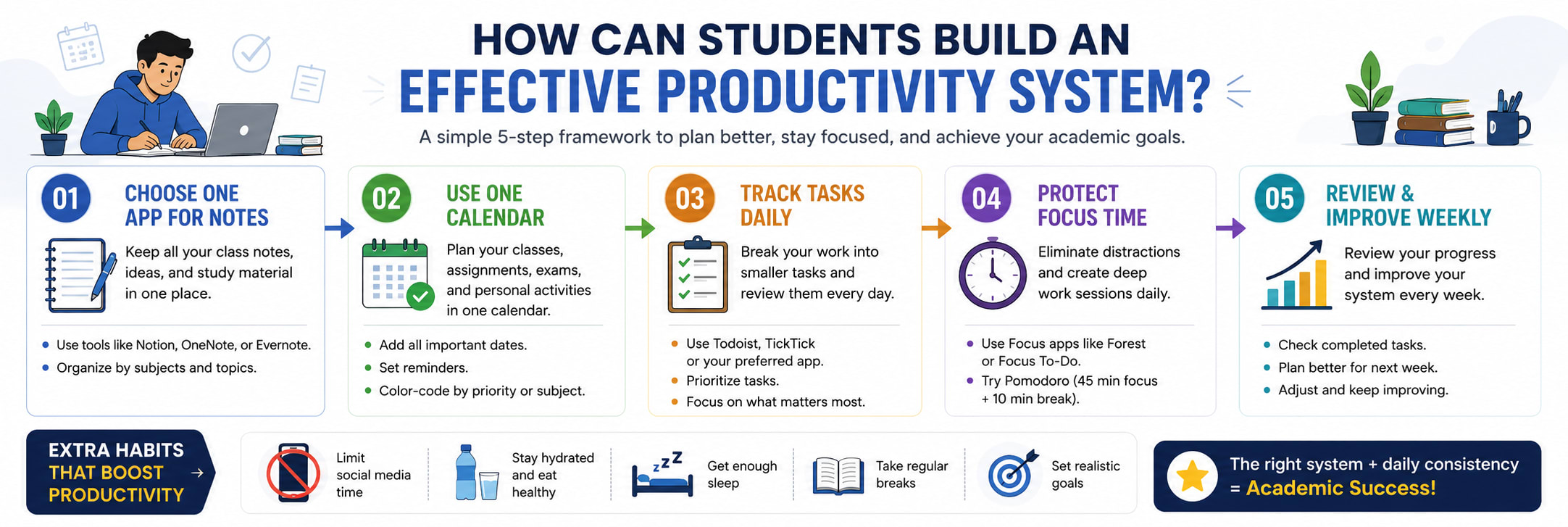
The Best Productivity Apps for College Students deliver results only when they are part of a practical routine. Installing dozens of apps without a system usually creates more confusion.
A simple workflow works better.
Step 1: Choose One App for Notes
The Best Productivity Apps for College Students should reduce complexity, not increase it.
Students can choose:
OneNote.
Notion.
Evernote.
Avoid switching between multiple note apps.
Step 2: Use One Calendar
A single calendar prevents scheduling conflicts.
Students should add:
Classes.
Assignments.
Exams.
Club meetings.
Personal commitments.
Step 3: Track Tasks Daily
The Best Productivity Apps for College Students become effective when students review tasks every morning.
Daily habits:
Check upcoming deadlines.
Prioritize urgent tasks.
Schedule study blocks.
Review completed work.
Step 4: Protect Focus Time
Students often underestimate interruptions.
Helpful strategies:
Turn off notifications.
Use Forest or Focus To-Do.
Study in 45-minute sessions.
Keep phones away during revision.
Common Productivity Mistakes College Students Make
The Best Productivity Apps for College Students cannot solve problems caused by poor habits. Students still need realistic systems and discipline.
Common mistakes include:
Downloading too many apps.
Ignoring reminders.
Studying only before exams.
Keeping disorganized notes.
Multitasking constantly.
Depending entirely on motivation.
Why More Apps Do Not Mean More Productivity
The Best Productivity Apps for College Students work best when students keep things simple.
A productive setup usually requires:
One note-taking app.
One calendar.
One task manager.
One focus tool.
Anything beyond that may become unnecessary.
Why Students Lose Momentum Mid-Semester
The Best Productivity Apps for College Students often get abandoned after the first few weeks because students create unrealistic routines.
Typical problems:
Scheduling every hour.
Setting impossible goals.
Ignoring breaks.
Failing to review progress.
Consistency matters more than perfection.
Which Combination of Productivity Apps Works Best for Different Students?
The Best Productivity Apps for College Students vary depending on study style, coursework, and personal preferences.
Recommended combinations:
For Science and Engineering Students
The Best Productivity Apps for College Students in technical fields often focus on notes and project management.
Recommended stack:
OneNote.
Trello.
Google Calendar.
Forest.
For Arts and Humanities Students
Students handling essays and research may prefer:
Evernote.
Grammarly.
Google Drive.
Todoist.
For Business and Management Students
Useful combinations include:
Notion.
Slack.
Trello.
Google Calendar.
For Students Preparing for Placements
Students balancing academics and career preparation can use:
JioSkill.
TickTick.
Google Drive.
Clockify.
Frequently Asked Questions About the Best Productivity Apps for College Students
Which is the best productivity app for college students overall?
The Best Productivity Apps for College Students overall is often considered Notion because it combines note-taking, planning, task management, and collaboration in one workspace. Students who prefer simpler systems may choose Google Calendar and OneNote instead.
Are productivity apps free for students?
Most of the Best Productivity Apps for College Students offer free plans with essential features. Premium subscriptions usually provide advanced customization, storage, and collaboration tools.
How many productivity apps should students use?
Students generally need only three or four apps:
Note-taking app.
Calendar.
Task manager.
Focus tool.
Using too many apps often reduces productivity.
Do productivity apps improve grades?
The Best Productivity Apps for College Students cannot guarantee better grades, but they help students stay organized, manage time, and prepare consistently. Better habits often lead to improved academic performance.
Which app is best for exam preparation?
Forest, Focus To-Do, OneNote, and Google Calendar are excellent choices for exam preparation because they support concentration, planning, and revision tracking.
Final Thoughts
The Best Productivity Apps for College Students are not about filling a phone with dozens of tools. They are about creating systems that reduce stress and make everyday academic life easier.
Successful students rarely rely on memory alone. They build routines around calendars, notes, focus sessions, and task lists. During busy weeks filled with assignments, presentations, and exams, those small habits create a major advantage.
Whether students choose Notion for organization, OneNote for lecture notes, Forest for concentration, or JioSkill for career development, the right productivity system can transform the college experience from chaotic to manageable.
JioSkill Team
Content Creator
Content creator at JioSkill