

Starting a Web Development Project Tutorial can feel overwhelming—trust us, we’ve been there. Most beginners jump between tutorials, videos, and articles and end up with unfinished code or confused about why their styles aren’t showing. In this guide, we walk through an HTML CSS JavaScript project from scratch, keeping it simple and actionable. Our goal i
sn’t to impress anyone with complex frameworks, but to make sure you actually finish something working. By following this beginner web development guide, you’ll see how the pieces fit together, learn how to debug common issues, and gain confidence in building real projects. This isn’t just theory—we’ll be hands-on, covering every step in a step-by-step web project tutorial that takes you from zero to a functional project. We also touch on common beginner traps, like messy CSS or forgetting to link your scripts, so you can avoid them early. By the end, you’ll have a solid foundation for tackling any full stack beginner project next.
Getting Started with Web Development Project Tutorial for Beginners
The hardest part of starting a Web Development Project Tutorial is often deciding where to begin. Most beginners get stuck in HTML, unsure which tags to use, or spend hours styling in CSS without knowing if it’s even correct. Our approach is to start small—set up a clean project folder, install a reliable code editor, and take one step at a time. We explain each line as we go so that an HTML CSS JavaScript project doesn’t feel like magic. In this beginner web development guide, you’ll learn practical ways to organize your files, link stylesheets and scripts, and avoid the common “it’s not working” panic. We also show how to structure a step-by-step web project tutorial that’s realistic for beginners, so you can actually finish it without getting lost in tutorials or copying random snippets online.
What is a Web Development Project Tutorial?
A Web Development Project Tutorial is essentially a guided path where you build something concrete while learning, instead of just reading or watching videos. It’s different from theory-heavy lessons because it focuses on doing. For beginners, this hands-on approach is invaluable—most people forget concepts if they don’t apply them immediately. A good tutorial breaks down an HTML CSS JavaScript project into manageable chunks, so you see progress at every stage. We make sure the tasks are realistic, addressing common stumbling blocks like broken layouts, confusing CSS properties, or JavaScript errors. Think of it as a roadmap for beginners who want a step-by-step web project tutorial that actually gets completed and understood, rather than abandoned halfway.
Why Beginners Should Start with an HTML CSS JavaScript Project
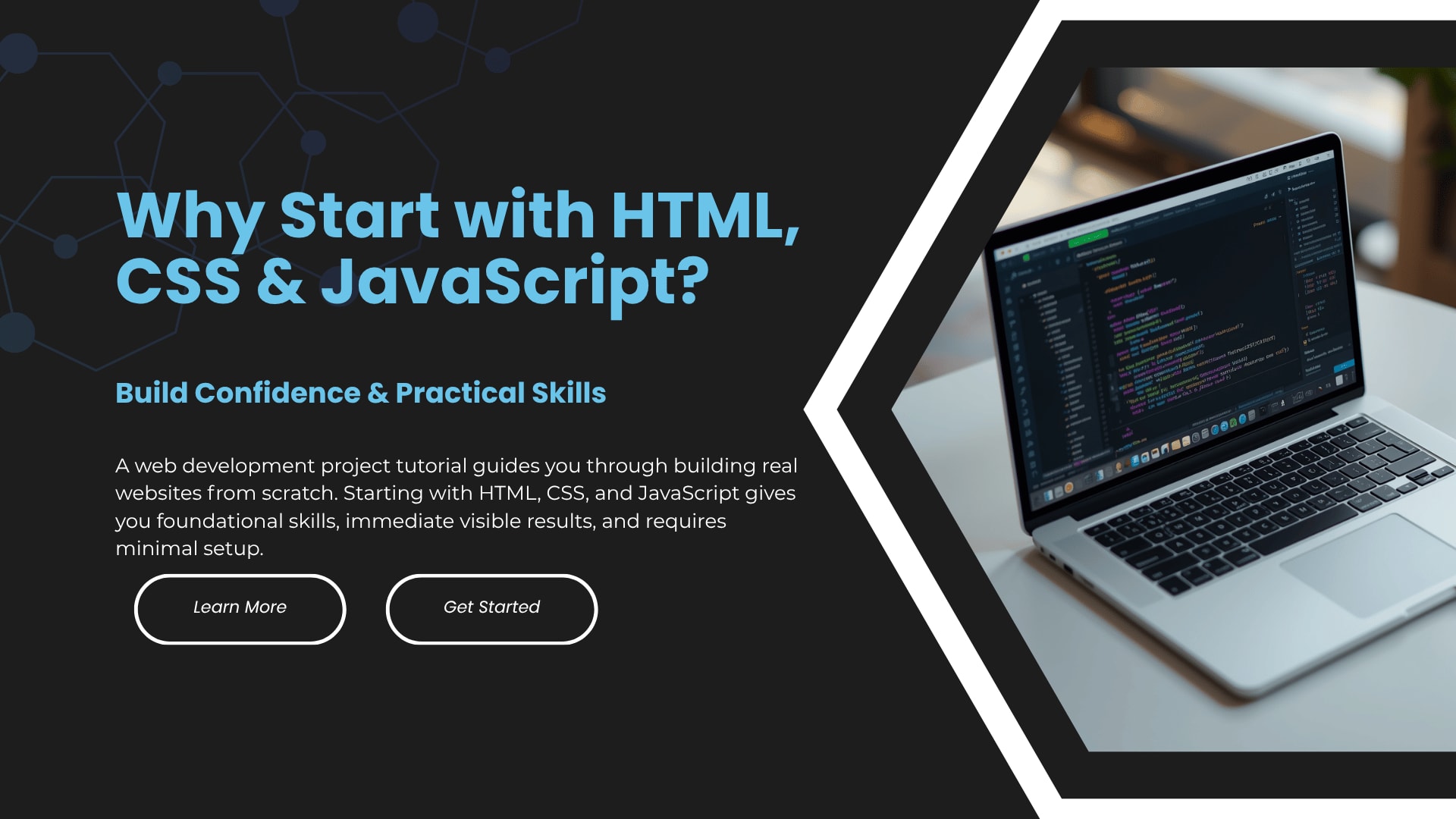
Starting with an HTML CSS JavaScript project is one of the most practical ways to learn web development. HTML gives you the structure, CSS makes it look decent, and JavaScript adds interaction—together, they form the foundation for everything else. Many beginners feel lost when jumping straight into frameworks or libraries because they never fully understood how the basics work. By starting simple, you get a strong grasp of each layer, making debugging less painful and learning more predictable. This approach also makes it easier to complete a full stack beginner project in the future because you’ll know how the front-end fits together before adding databases or servers.
Essential Tools for a Beginner Web Development Guide
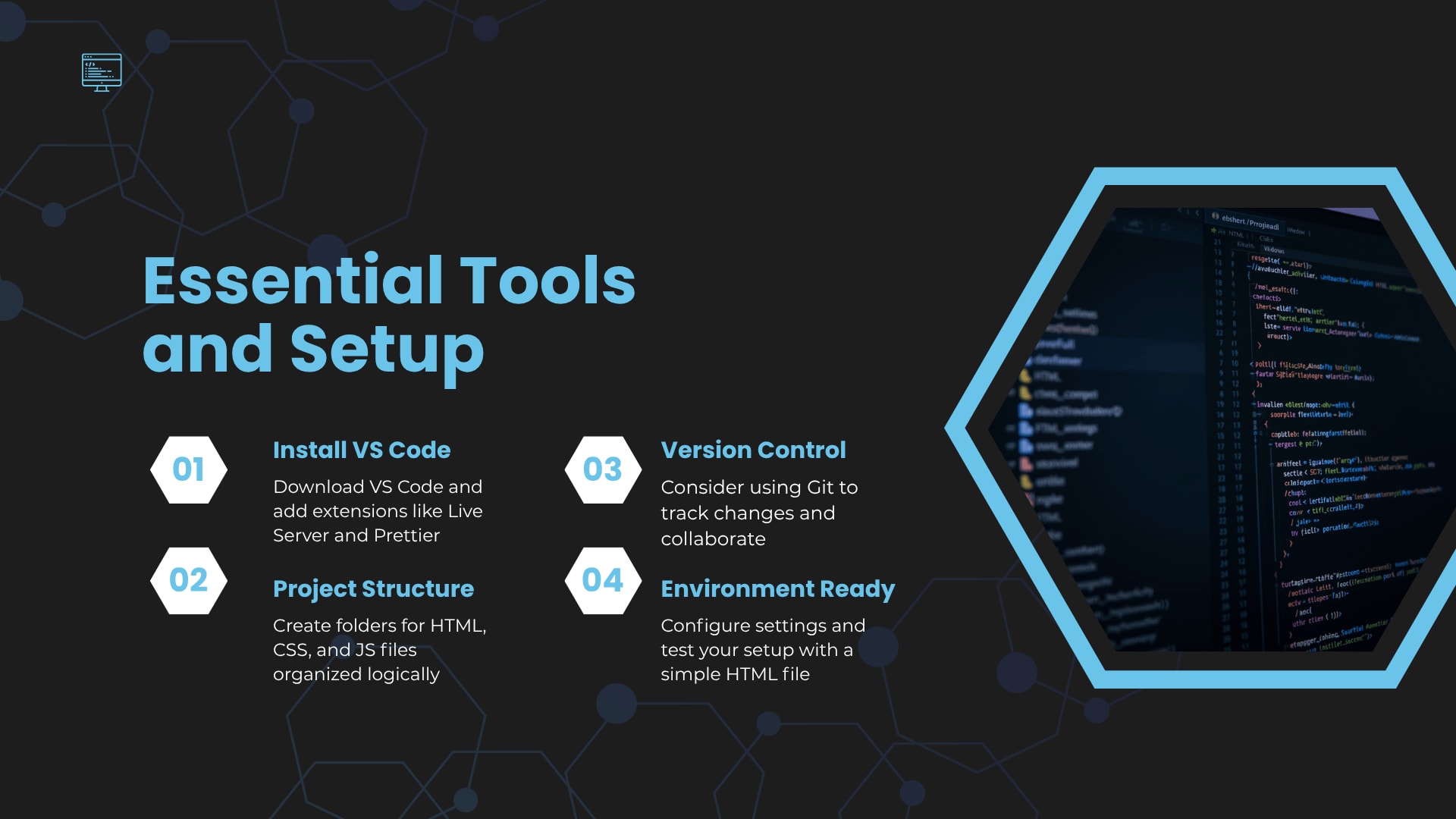
Before diving into a Web Development Project Tutorial, you need a few reliable tools. At minimum, you’ll want a code editor like VS Code, a modern browser for testing, and a folder system that keeps your files organized. We’ve seen beginners waste hours on misnamed files or missing script links—it’s frustrating, but entirely avoidable. This beginner web development guide also encourages using live-server extensions or browser refresh tools so you can see changes instantly. When you have the right setup, tackling an HTML CSS JavaScript project becomes less about fighting the computer and more about actually building. These tools make following a step-by-step web project tutorial smooth, even if you’ve felt stuck before.
Installing VS Code and Extensions
Installing VS Code is easier than it sounds, but beginners often overlook helpful extensions that save hours. We suggest installing live-server for instant previews and syntax-highlighting extensions for HTML, CSS, and JavaScript. These small tweaks make a Web Development Project Tutorial far less frustrating. You’ll immediately notice fewer errors and quicker feedback, which is essential for beginners. In an HTML CSS JavaScript project, seeing your code work in real-time keeps motivation high and makes the step-by-step web project tutorial actually enjoyable.
Setting Up Your Project Folder
A well-organized folder is the unsung hero of a successful Web Development Project Tutorial. Start with a root folder, then separate subfolders for CSS, JavaScript, and images. We’ve seen beginners dump everything in one place and spend hours searching for a missing file—don’t do that. With this setup, your HTML CSS JavaScript project stays clean, easy to debug, and ready to scale. This small organizational step alone makes following a beginner web development guide and a step-by-step web project tutorial far less overwhelming.
Step-by-Step Web Project Tutorial Using HTML, CSS, and JavaScript
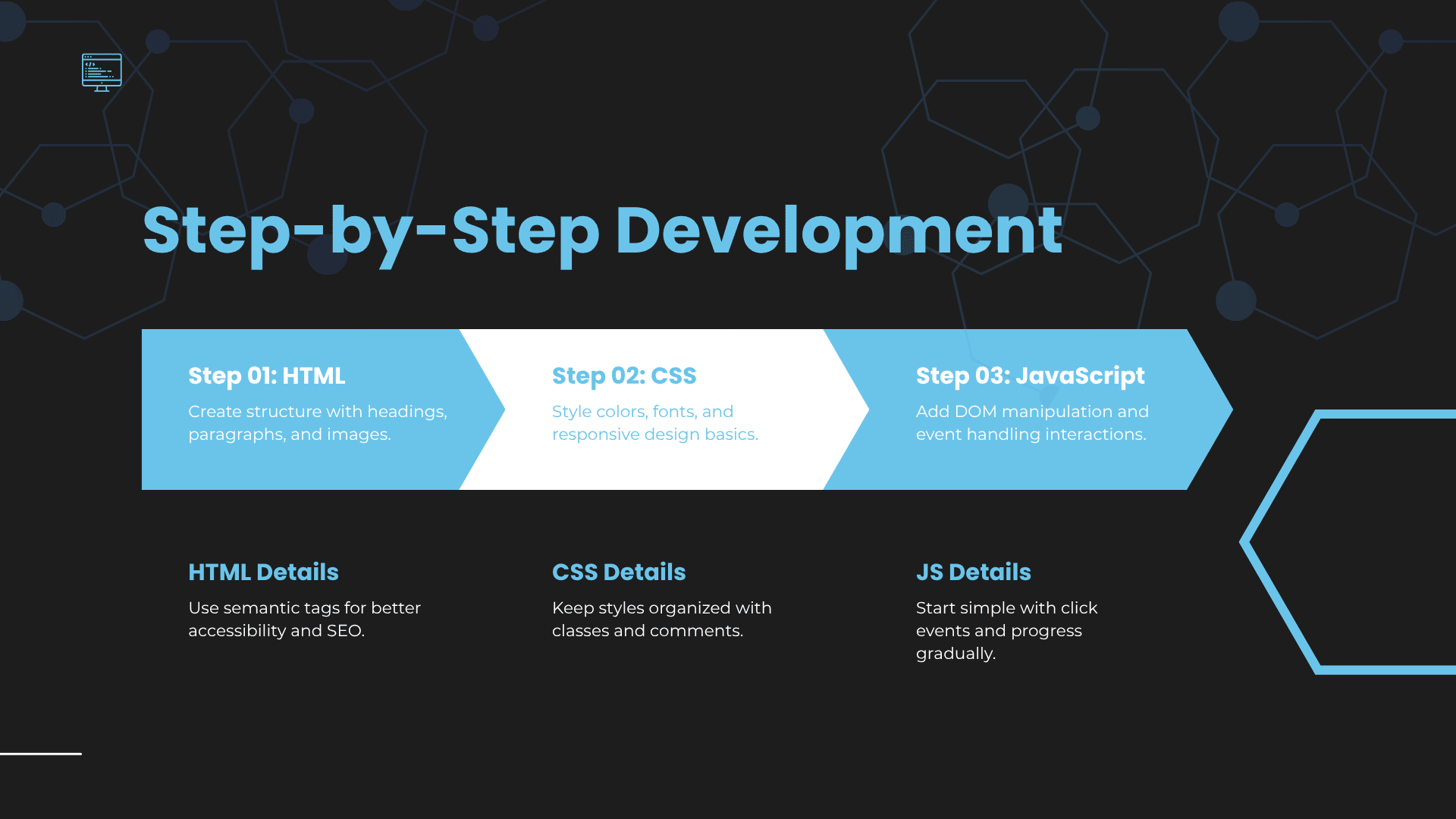
Now we get into the hands-on part. In this Web Development Project Tutorial, we’ll build a simple interactive project from scratch, walking through every step in a step-by-step web project tutorial. Beginners often get stuck thinking they need advanced knowledge, but you don’t. Each section builds on the last, so you’ll see how your HTML CSS JavaScript project comes together naturally. We’ll explain why each tag, style, or function exists, rather than just dropping code and leaving you to guess. The goal is to finish the project with confidence, understanding the flow from structure to style to interaction, which sets you up for any full stack beginner project down the line.
"Kickstart your coding journey with the Jio Skill Web Development Internship! This 1-month hands-on program is perfect for beginners looking to gain real-world experience in HTML, CSS, and JavaScript. You'll work on practical projects, sharpen your skills, and learn from industry mentors, making it a great stepping stone for your career in web development. Don’t miss this chance to build your portfolio and get a head start in the tech world. Apply now and transform your learning into experience: Jio Skill Web Development Internship. "
Project Overview: What You Will Build
In this project, we’ll create a small, interactive web page that looks good and reacts to user input. Nothing fancy or intimidating—just something you can finish in one go, unlike so many tutorials that leave you half-done. The goal is a functional HTML CSS JavaScript project that demonstrates structure, styling, and interactivity. By following this step-by-step web project tutorial, you’ll understand where beginners usually stumble: missing closing tags, CSS specificity issues, or broken JavaScript functions. By the end, you’ll not only have a working project but also practical experience for tackling your next full stack beginner project.
Creating the Structure with HTML
HTML gives your project its bones, and many beginners underestimate how messy code can get without proper structure. We’ll start simple, explaining each tag and why it’s needed. In this Web Development Project Tutorial, we show how headings, paragraphs, images, and links work together in an HTML CSS JavaScript project. By the end of this step, you’ll have a solid foundation for styling with CSS and adding functionality with JavaScript, all part of a beginner web development guide designed to help you finish projects instead of abandoning them.
Basic HTML Layout Setup
We begin by creating a basic HTML layout—doctype, head, body, and a few containers for content. Beginners often forget meta tags or misplace script links, causing confusion. Our Web Development Project Tutorial guides you through this carefully so your HTML CSS JavaScript project has a clean structure from the start. By keeping it simple and explaining each piece, we make the step-by-step web project tutorial accessible for anyone, even if you’ve struggled to finish projects before.
Adding Headings, Text, and Images
Next, we populate the page with headings, paragraphs, and images. Many beginners get stuck styling text or positioning images correctly, and it feels discouraging. In this Web Development Project Tutorial, we show practical ways to structure content that works, emphasizing readability and consistency. This stage of our HTML CSS JavaScript project reinforces good habits for a beginner web development guide, giving you confidence before moving into CSS styling.
Designing with CSS
CSS is where beginners often feel lost because it seems abstract and endless. In our Web Development Project Tutorial, we keep it grounded, showing how to style colors, fonts, and layouts logically. We explain why some properties work better than others and how to avoid conflicts that break your HTML CSS JavaScript project. This part of the step-by-step web project tutorial teaches practical design skills without overwhelming, making your project not just functional but visually pleasing.
Styling Colors and Fonts
Choosing colors and fonts can be surprisingly tricky for beginners. We demonstrate how to apply them consistently across your HTML CSS JavaScript project, avoiding clashes and messy code. In our Web Development Project Tutorial, we show a simple workflow that makes styling intuitive and manageable. Following this approach in a beginner web development guide helps you finish the project looking polished without endless frustration.
Making Your Design Responsive
Responsive design often scares beginners, but it’s essential even for a small project. We walk through using relative units, media queries, and flexible layouts so your HTML CSS JavaScript project works on phones, tablets, and desktops. In this step-by-step web project tutorial, we focus on practical solutions that prevent beginners from giving up when things look wrong on smaller screens.
Adding Functionality with JavaScript
JavaScript brings your project to life, but beginners often get lost in syntax errors or DOM confusion. In our Web Development Project Tutorial, we start simple, showing small interactive elements that make sense. You’ll see how your HTML CSS JavaScript project responds to clicks, inputs, or other events. This hands-on approach in a beginner web development guide ensures you understand each step, rather than copy-pasting code that doesn’t work.
Understanding DOM Manipulation
We focus on manipulating the DOM to make changes dynamically, which is where most beginners struggle. This part of the Web Development Project Tutorial shows exactly how to select elements, change content, and update styles without frustration. For a step-by-step web project tutorial, understanding the DOM is crucial for building a functional HTML CSS JavaScript project that actually feels interactive.
Adding Click Events and Interactions
Next, we add simple click events and user interactions. Beginners often get stuck with event listeners, and this is where projects usually stall. Our Web Development Project Tutorial guides you through this with clear examples, so your HTML CSS JavaScript project responds the way you expect. This hands-on practice is key in a beginner web development guide for completing a project that’s both functional and satisfying.
Tips to Improve Your Full Stack Beginner Project
Even after finishing a Web Development Project Tutorial, beginners often wonder how to make it better. Small tweaks in layout, performance, and interactivity can make a huge difference. In our experience, focusing on clarity, responsiveness, and efficient code makes your HTML CSS JavaScript project more professional. This is also where thinking ahead about your next full stack beginner project comes in—learning how to polish and optimize your current project builds skills you’ll reuse. A step-by-step web project tutorial doesn’t end when the page works—it ends when it works reliably and looks intentional.
Common Mistakes in Web Development Project Tutorial
Beginners usually make the same mistakes: unorganized files, broken links, messy CSS, or JavaScript errors they can’t debug. In this Web Development Project Tutorial, we point out these traps so you can avoid them. Most of the frustration in HTML CSS JavaScript projects comes from not knowing where beginners typically stumble, so we explain it clearly. Recognizing these mistakes early is part of a beginner web development guide that actually helps you finish projects instead of leaving them half-done.
How to Make Your Project Stand Out
A project stands out when it’s clean, interactive, and visually consistent. In this Web Development Project Tutorial, we show practical ways to improve design, spacing, typography, and animations. Even small enhancements can make an HTML CSS JavaScript project feel professional. Following these tips in a step-by-step web project tutorial gives beginners confidence and a sense of accomplishment when finishing a full stack beginner project.
Optimizing Performance and Speed
Performance is often ignored by beginners, but it’s crucial even for small projects. We explain easy steps to compress images, minimize code, and avoid slow scripts in our Web Development Project Tutorial. Improving speed makes your HTML CSS JavaScript project feel smoother and prepares you for bigger full stack beginner projects later. These tweaks are practical, not overwhelming, fitting a beginner web development guide approach.
Improving UI/UX Design
Good UI/UX isn’t just about looking nice—it’s about how users interact. Beginners often forget this in their first projects. We show simple improvements like readable fonts, clear buttons, and logical navigation in this Web Development Project Tutorial, making your HTML CSS JavaScript project intuitive and user-friendly.
Adding Extra Features for Better Results
Extra features, like form validation, animations, or dynamic content, take your project to the next level. In our step-by-step web project tutorial, we guide beginners on adding these without breaking existing code. It’s practical, achievable, and makes your full stack beginner project more impressive.
Final Thoughts on Web Development Project Tutorial for Beginners
Finishing a Web Development Project Tutorial is incredibly satisfying, especially after struggling with incomplete projects before. We’ve walked through structure, styling, and functionality, covering an HTML CSS JavaScript project from zero. The key is persistence, attention to common pitfalls, and taking one step at a time. A beginner web development guide isn’t about speed—it’s about finishing, learning, and building confidence.
What to Do After Completing Your Project
Once your project works, don’t just stop. Experiment with design, add new features, and try a new full stack beginner project. Reflecting on what you learned from the Web Development Project Tutorial will help you tackle bigger projects more confidently. Sharing it online or getting feedback also reinforces your learning. The best step-by-step web project tutorial experience continues beyond the first project.
FAQs
What is the easiest Web Development Project Tutorial for beginners?
The easiest ones focus on a simple HTML CSS JavaScript project, with clear instructions and practical exercises, avoiding frameworks at first.
How can I complete an HTML CSS JavaScript project step-by-step?
Follow a structured Web Development Project Tutorial, start with HTML, style with CSS, and add interactivity with JavaScript. Break tasks into manageable steps to avoid overwhelm.
Is this beginner web development guide enough to get started?
Yes. By following it, you’ll build confidence, finish a project, and understand core concepts, which prepares you for future full stack beginner projects.
What is a full stack beginner project?
It’s a project where you handle both the front-end and back-end, often starting with an HTML CSS JavaScript project, then adding a database or server logic. It’s a logical next step after mastering the basics.
JioSkill Team
Content Creator
Content creator at JioSkill